Turn ChatGPT into a personal interviewer that already knows your background, for free, in under ten minutes.
Most "practice your interview with ChatGPT" guides tell you to paste a job description and start talking. That works, but it produces generic questions, the same ones anyone applying for the same role would get. There's a better starting point sitting right on your laptop: your CV. When you upload your actual CV first, ChatGPT can ask you about your real projects, question the gaps in your timeline, and push you on the exact skills a recruiter would circle in red pen.
This guide walks you through the entire process, uploading your CV, writing the right prompt, running a full mock interview, and turning the feedback into sharper English and sharper answers. If interviewing in English is part of what makes you nervous, keep this open alongside EnglishCareerByte's guide to 50+ common job interview questions and answers, the two work well together.
You don't need any special software, a paid subscription, or a Custom GPT to get started. Everything in this guide works with a standard ChatGPT account, a PDF of your CV, and about half an hour of focused time. By the end, you'll have a repeatable routine you can run again before every interview, not a one-time trick, but a habit that keeps sharpening with every application you send out.
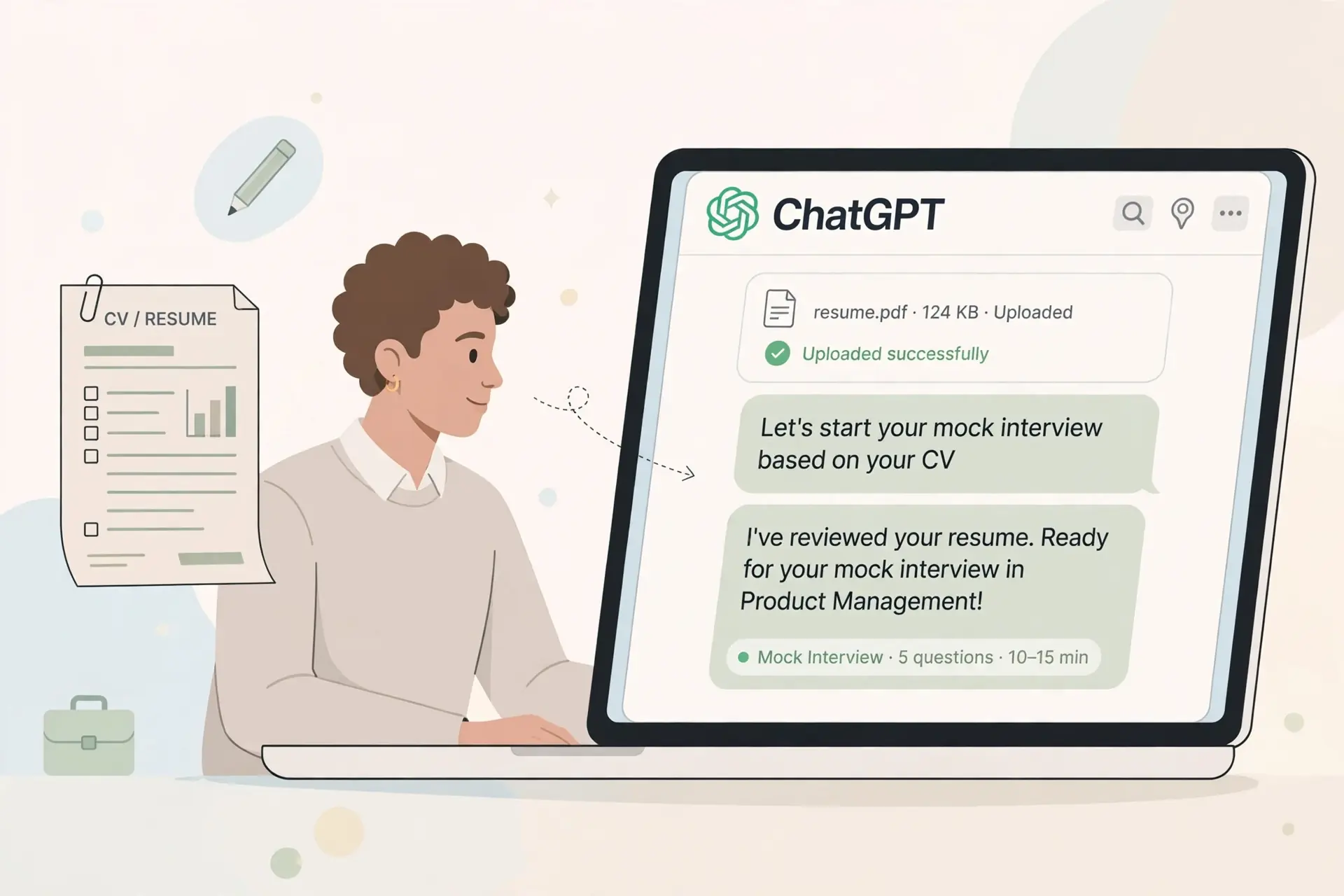
A job description tells ChatGPT what the employer wants. Your CV tells it who you actually are. Feed it both, and the questions stop being generic. Instead of "Tell me about a time you led a project," you get "I see you led a three-person team at your last company but this role manages twelve. Walk me through how you'd close that gap." That's the kind of question a real interviewer asks, and it's the kind of practice that actually prepares you.
It also surfaces the parts of your CV you've stopped noticing: an unexplained gap, a job title that doesn't match your actual duties, or a skill you listed but never talk about. ChatGPT will ask about all of it, which means you rehearse the awkward questions before a stranger asks them for real.
There's a second benefit that's easy to miss: consistency. When you practice with a friend or a mentor, every session is a little different depending on their mood, their experience, and how much time they have. ChatGPT applies the same evaluation criteria every single time, which means the scores you get after session one and session five are actually comparable. That's what lets you see real improvement instead of just a vague feeling that "it went better this time."
Short answer: generally yes, as long as you remove a few sensitive details first. Your CV is personal data, so treat the upload the way you'd treat emailing it to a stranger.
Uploaded files are used to generate the response in that conversation. Depending on your account's data controls, chats may also be used to improve the model unless you've turned this off in settings. If you're unsure, use a temporary or incognito chat, or strip the sensitive fields above before uploading a redacted copy.
Click the attachment icon in the chat box and select your CV file. Once it's uploaded, ask ChatGPT to summarize your background back to you in a few sentences. This confirms it actually read the file correctly before you go any further.
Paste the full job posting into the same chat. This is what lets ChatGPT compare your CV against what the employer is actually asking for, instead of guessing.
This prompt is the most important part of the whole process. Copy it, paste it in after your CV and job description, and ChatGPT will start behaving like a real hiring manager instead of a generic chatbot.
Type your answer, or use ChatGPT's voice mode and actually speak it out loud. Speaking your answers matters more than most candidates realize. It's the difference between an answer that sounds fluent in your head and one that comes out fluent in the room. If spoken English is what makes you anxious, run a few rounds with EnglishCareerByte's free pronunciation and speaking practice tool before your ChatGPT session, then compare how much smoother your delivery feels.
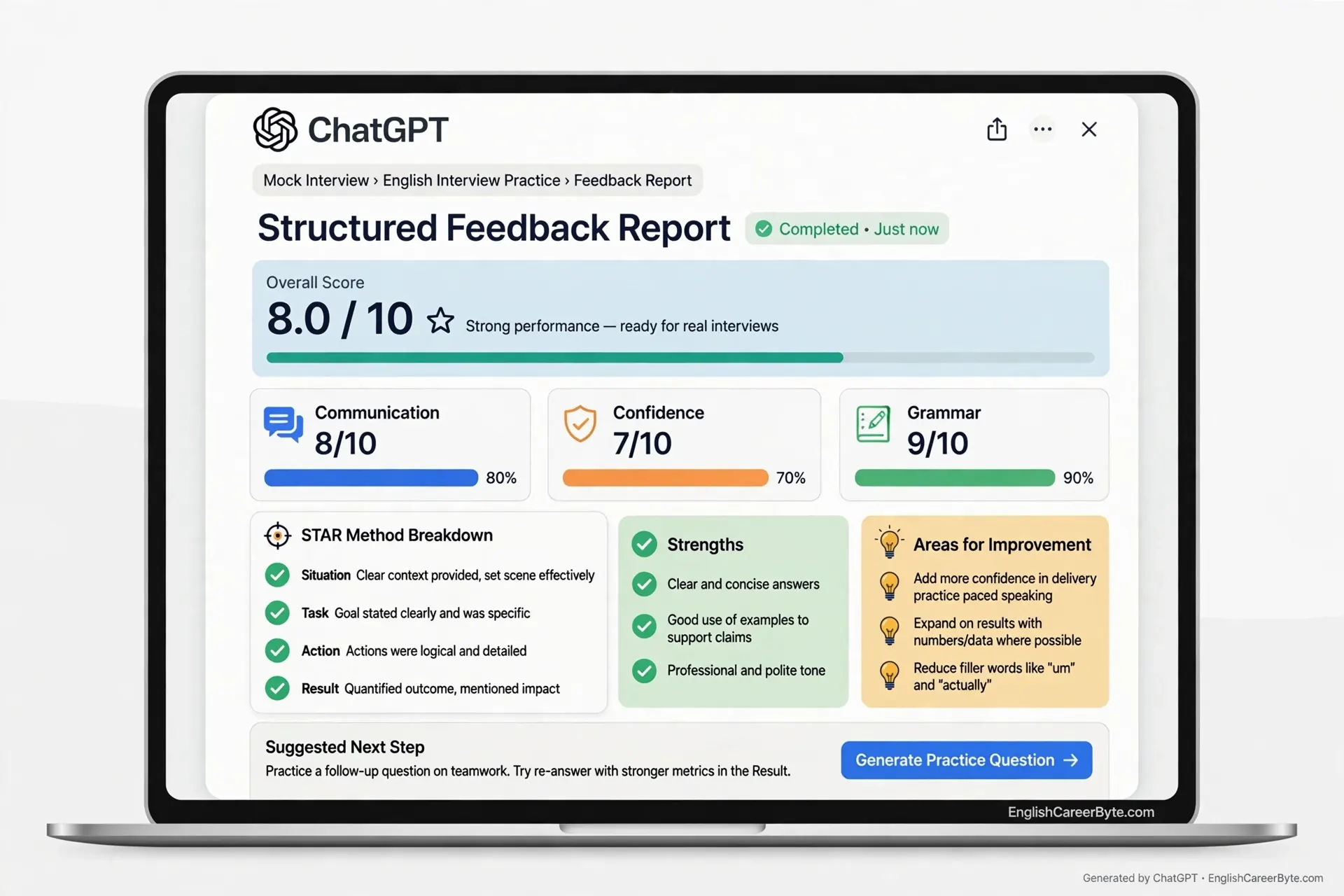
ChatGPT will flag missing keywords and weak structure after every answer. Don't just read the feedback. Immediately try the next question again using the tip you were just given. That repetition is where the actual improvement happens.
Once you've gone through 6 to 8 questions, ask: "Summarize my overall performance and my top 3 things to fix before the real interview." Save that summary somewhere you'll actually look at it again.
Once the base prompt is running, you can redirect ChatGPT toward a specific interview style without starting over.
"Focus only on behavioral questions about teamwork, conflict, and leadership from my CV."
"Switch to technical questions based on the tools and skills listed in the job description."
"Ask me one difficult, unexpected question that tests how I think under pressure."
STAR stands for Situation, Task, Action, Result, the structure most interviewers are trained to listen for. If ChatGPT scores an answer low on "STAR structure," rewrite it using that order and ask it to re-score the same answer. Watching the number move from a 2 to a 4 is often the single most convincing proof that the framework works, and it removes the guesswork of "was that answer actually good?"
ChatGPT can only judge your words. It can't see your posture, your eye contact, your pacing, or your accent clarity, all things a real interviewer absolutely notices.
To cover that gap, record yourself on video answering the same questions and watch it back with the sound off first, just to check posture and expression, then again with sound to check pacing. If pronunciation or fluency under pressure is part of what's holding you back, spend fifteen minutes with EnglishCareerByte's English speaking confidence test to see exactly where your fluency sits before your interview, not after.
| Do | Don't |
|---|---|
| Upload an updated, accurate CV | Upload an outdated or padded CV |
| Combine your CV with a real job description | Use vague prompts like "ask me questions" |
| Ask for structured, numeric feedback | Accept generic praise with no score |
| Redact sensitive personal data first | Upload ID numbers or references' contacts |
| Run 3 to 5 sessions across different question types | Assume one session is enough |
Yes. Both the free and Plus tiers support file uploads, though Plus gives you higher usage limits for longer practice sessions.
No, not unless you save it inside a custom GPT or re-upload it each session. Every new chat starts fresh.
It's generally safe once you've redacted sensitive identifiers like ID numbers and references' direct contact details, and checked your account's data settings.
Aim for 3 to 5 full sessions covering behavioral, technical, and stress-style questions so you're comfortable across formats, not just one.
No. It only reads your words. Pair it with a self-recorded video review or a human mock interview to cover delivery and body language.
Yes. Provide the job description alongside your CV and ask ChatGPT to generate role-specific technical questions in addition to behavioral ones.
One mock interview tells you how one afternoon went. Three or four sessions, spaced a day or two apart, tell you whether you're actually improving. Keep a simple running note, a notes app, a spreadsheet, even a page in a notebook, with three columns: the date, the average score ChatGPT gave you, and the one tip you were told to fix. Before your next session, glance back at that last tip and try to apply it in the first answer you give.
This small habit does two things. First, it turns scattered practice into a visible trend line, which is far more motivating than a single number. Second, it stops you from repeating the same feedback session after session. If "add more specific numbers to your results" shows up three times in a row, you know exactly what to fix before your real interview, instead of walking in hoping it goes better this time.
If English fluency itself is one of the patterns you keep seeing in your notes, hesitation, word searching, or grammar slips under pressure, that's worth treating as its own practice track alongside your interview content. EnglishCareerByte's step-by-step guide to improving your English for career growth is built for exactly that gap between knowing your answer and being able to say it smoothly under pressure.
The method is simple once you've done it once: upload your CV, add the job description, hand ChatGPT the interviewer role, answer out loud, apply the feedback immediately, and close with a summary you'll actually revisit. Candidates who do this three or four times before a real interview walk in having already heard the hard questions once, which means the second time, in the actual room, is the easy one.
Join a free trial class with EnglishCareerByte and practice your interview answers 1-on-1 with a certified tutor.
Start Free Trial →